
Blog Post
Receipt Maker Explained: What It Creates and What It Proves
A receipt maker is a tool that formats transaction details into a printable or downloadable receipt. It calculates the document you enter, but it does not independently verify that a sale or payment happened.
Logan Moore
A receipt maker is a tool that turns transaction details into a clean receipt you can print or download. You enter the seller, buyer, items, payment date, and method; the tool formats those facts and calculates the total. It does not independently prove that the transaction happened.
That distinction matters because a polished file can look official while still containing only what its author typed. Here is what the tool does, what belongs on the finished document, and how to check the arithmetic before you hand it to a customer.
What does a receipt maker actually do?
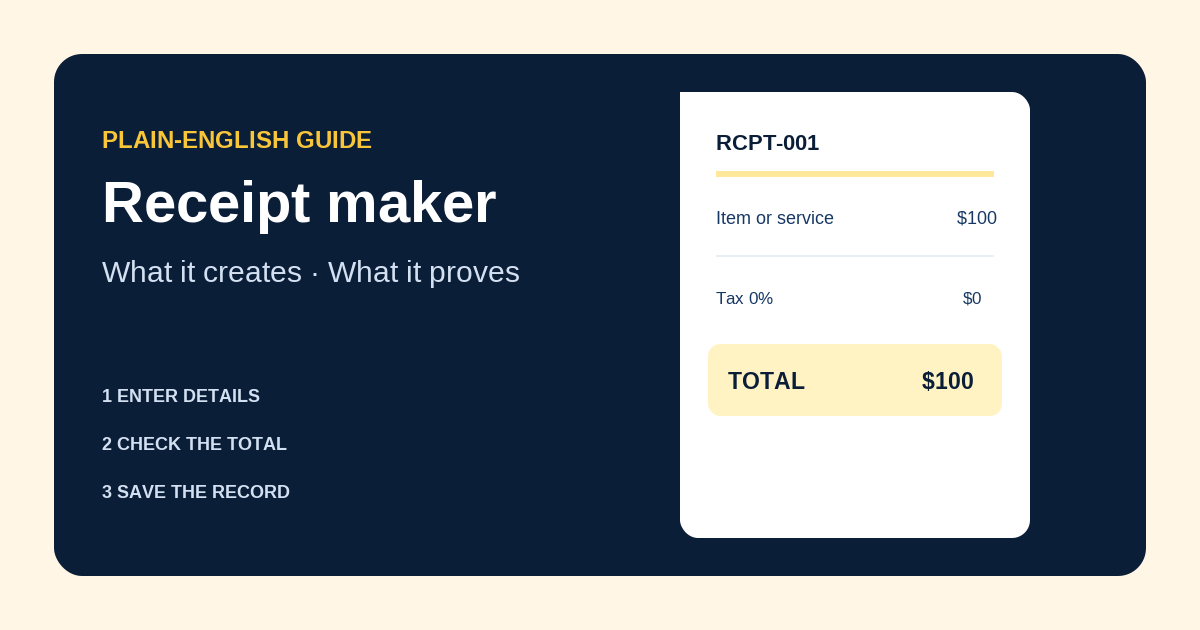
A receipt maker creates a consistent document from the transaction details you supply. Most makers follow the same three-part flow: fill in the fields, review the calculated preview, then save or print the result.
- Enter the transaction. Add the business and customer names, payment date, receipt number, payment method, and line items.
- Check the calculation. Confirm each quantity and price, then compare the subtotal, tax, and total with your own calculation.
- Export the record. Download the finished receipt, print it, or send the file to the payer.
You can open the free receipt maker without an account. WaffleInvoice's receipt tool begins with receipt number RCPT-001, payment method Cash, a 0% tax rate, and one sample item with quantity 1 and price 100. Those are visible defaults from the tracked product source, not claims about a customer's transaction. The free payment receipt templates offer reusable layouts when you would rather start with a specific cash, rent, sales, or service format.
Which fields should a receipt maker include?
A receipt maker should include enough detail to identify the parties, the payment, and the goods or services involved. At minimum, look for a unique receipt number, payment date, seller, payer, item description, quantity, price, amount paid, payment method, and any balance left.
| Field | What it tells the reader | Check before export |
|---|---|---|
| Receipt number | Which record this is | Unique in your own sequence |
| Payment date | When money changed hands | Use the payment date, not a later typing date |
| Seller and payer | Who received and paid | Names match your other records |
| Line items | What the payment covered | Descriptions are specific |
| Payment method | How the money arrived | Cash, check, card, or transfer is accurate |
| Total and balance | What was paid and what remains | Math and payment status agree |
The Internal Revenue Service's recordkeeping guidance lists receipts among supporting documents. The IRS lists receipts among the supporting documents used to record business transactions in the books. The IRS is authoritative here because it administers federal tax recordkeeping in the United States. This supports treating receipts as business records; it does not say that a generated receipt alone validates every fact printed on it.
How does a receipt maker calculate a total?
A receipt maker calculates the subtotal by multiplying each item's quantity by its price, adds those line amounts, then applies any tax configured in the form. WaffleInvoice's tracked receipt-maker source contains this exact starting record:
taxRate: 0,
  notes: '',
  items: [
    { description: 'Item or service', quantity: 1, price: 100 },
  ],
With quantity 1 and price $100, the check is 1 × 100 = 100. A 0% tax rate adds $0, so the displayed total stays $100. The complete, independently checkable passage is: “The source-backed receipt starts with quantity 1 and price 100, so 1 × 100 = 100; with the source's taxRate of 0, the total remains $100.”
This example proves how the product's default values and arithmetic fit together. It does not prove that a $100 sale occurred, that a particular tax rate is correct, or that the sample description is suitable for a real customer. Replace every default before using the document.
What can a receipt maker prove?
A receipt maker can show a formatted statement of the information entered; it cannot authenticate the underlying sale. Treat the output as one record in a chain that may also include a bank deposit, card settlement, signed work order, email, or original invoice.
A receipt is strongest when its details match those other records. A receipt number should connect to your bookkeeping. The payment amount and date should match the bank or cash record. If the payment closed an invoice, include the invoice number and show a zero balance. The earlier guide to receipt templates versus invoices explains why an invoice requests money while a receipt records money already received.
Never use a receipts maker to invent evidence for a refund, reimbursement, tax deduction, insurance claim, or purchase that did not happen. A generator improves layout and arithmetic. It cannot turn fictional inputs into verified facts.
When should you use a receipt maker instead of an invoice maker?
Use a receipt maker after payment and an invoice maker when you are still requesting payment. If a customer pays immediately, the receipt may be the only document you need; if payment will arrive later, send an invoice first and issue a receipt after it clears.
- Paid cash at the job: create a receipt showing Cash, the payment date, amount received, and zero balance.
- Payment due next week: use an invoice maker with a due date and payment instructions.
- Deposit paid now: receipt the deposit, then show it as a credit against the final invoice.
- Part payment: show the amount received and the balance still open.
The free invoice maker for freelancers is built for that request-and-track stage, while receipt templates document what happened after money arrived. Keeping those roles separate avoids a common problem: a customer reads “receipt” as paid, while your records still show an amount due.
How do you choose a receipt maker?
Choose a receipt maker by checking its fields, math, export format, and recordkeeping fit. A large template gallery matters less than whether the finished receipt is accurate, readable, and retrievable later.
Before relying on one, make a test receipt with two line items and a tax rate you can calculate by hand. Confirm rounding to cents. Download the file and open it outside the tool. Check whether drafts remain on your device or in an account, and decide where the final record will live. If the tool adds a watermark, account requirement, or paid export step, find that out before you enter a live transaction.
Finally, read the result as the customer would. The business name, payment status, total, and date should be obvious within a few seconds. A receipt template is useful because it removes layout work; careful review is still yours.
Frequently Asked Questions
Quick answers to the questions readers ask most about this topic.
What is a receipt maker?
Is a generated receipt proof of payment?
What is the difference between a receipt maker and an invoice maker?
Can a receipt maker calculate tax?
Ready to improve your invoicing?
WaffleInvoice makes it easy to invoice faster, get paid on time, and manage your cash flow. Start free today.
Sign Up Free