
Blog Post
Wave Accounting Invoice: Check Line Items, Tax and Remaining Balance
A Wave accounting invoice is a customer bill created with Wave's invoicing software. Wave states that invoicing and payment information connect to its accounting feature; the worked numbers below illustrate invoice arithmetic, not Wave's internal posting rules.
Logan Moore
A Wave accounting invoice is a bill created with Wave's invoicing software. Wave says its invoicing and payment information connect to its accounting feature. The worked example below totals $1,850 before tax, using inputs from WaffleInvoice's tracked sample-invoice source; it does not represent Wave defaults, a customer bill, or Wave's private accounting entries.
This is a numbers-first explanation, not another broad review of the Wave accounting app. The goal is to show what each figure means and where a transcription error can change the balance.
What numbers go into a Wave accounting invoice?
An invoice calculation starts with one or more item rows. Each row pairs a quantity with a rate, and the row amounts add up to the subtotal. Customer details, dates, currency, invoice identity, and any applicable tax still need review, but the public Wave page cited here does not document those field-level rules.
Wave's official invoicing page states: “Your invoicing and payment information are connected to Wave's accounting feature, helping you stay organized.” That supports only the connection Wave describes between those records and its accounting feature. It does not establish when entries post, how a draft behaves, or which ledger accounts Wave uses.
| Service | Quantity | Rate | Amount |
|---|---|---|---|
| Website design | 1 | $1,200 | $1,200 |
| Brand & logo refresh | 1 | $450 | $450 |
| Setup & onboarding (hrs) | 2 | $100 | $200 |
| Subtotal | $1,850 |
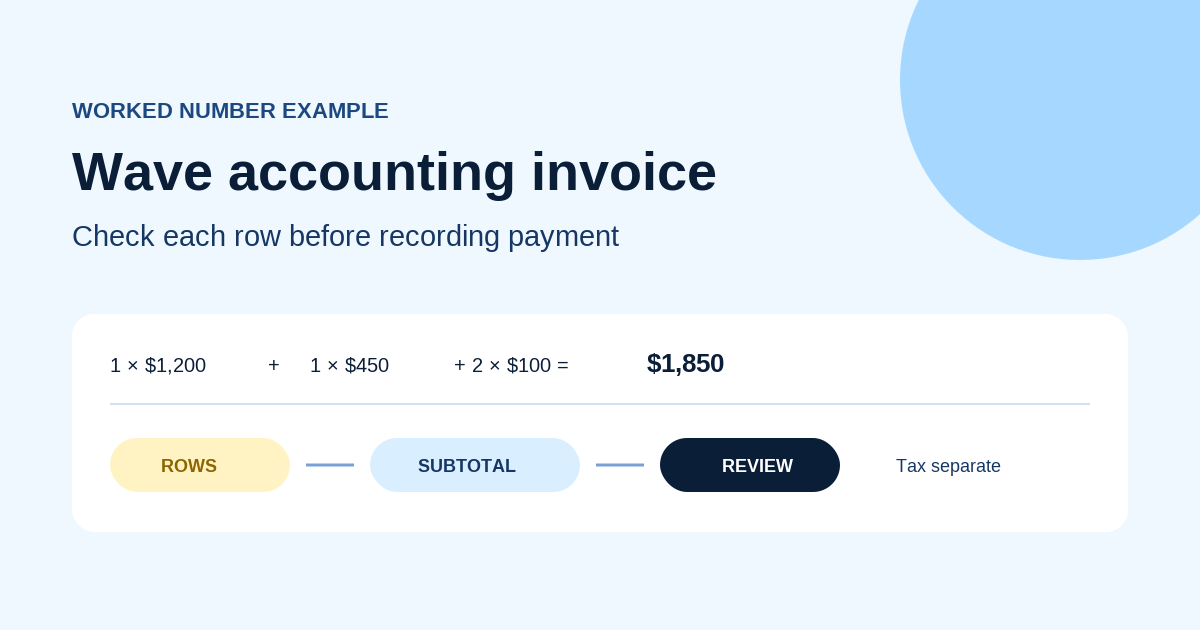
The six source inputs are quantities 1, 1, and 2 and rates 1,200, 450, and 100. Applying the tracked editor formula gives (1 × 1,200) + (1 × 450) + (2 × 100) = 1,200 + 450 + 200 = 1,850. The $200 row amount is derived from the source's quantity 2 and rate 100; it is not presented as a separate source input. The same tracked sample stores a subtotal and total of 1,850 with a zero tax rate. These are sample-product data, not Wave defaults, a WaffleInvoice price list, or a real customer bill.
How does tax change the worked invoice?
Tax changes this fictional invoice according to the taxable base used in the example. This is arithmetic only, not a claim about Wave's current tax controls.
Suppose a fictional 5% tax applies to the $1,200 website-design line only. The tax is 1,200 × 0.05 = 60, and the invoice total is 1,850 + 60 = 1,910. If the tax applied to all three rows, it would be 1,850 × 0.05 = 92.50, producing $1,942.50 instead. That $32.50 difference illustrates why the taxable base must be checked row by row.
The 5% rate is only arithmetic for this example. Ask the relevant state, provincial, or local tax authority which services are taxable and which rate applies. Software can calculate an entered rate but cannot decide the legal rate for every transaction.
What should you check before finalizing the invoice?
Treat finalization as a review gate. The accessible Wave source confirms that invoicing and payment information connect to its accounting feature, but it does not support a claim here about the precise draft, approval, or posting sequence.
Use a manual review gate. Before sending, compare five figures: each quantity, each rate, each selected tax, the subtotal, and the total. Also check the customer and currency. A mathematically correct $1,910 invoice can still be wrong if it belongs to the wrong customer or uses the wrong currency.
WaffleInvoice uses the same quantity-times-rate structure in its tracked invoice editor. The exact source calculation is:
const subtotal = computed(() => {
      return form.value.line_items.reduce((sum, item) => {
        return sum + (item.quantity * item.rate)
      }, 0)
    })
This source walkthrough supports the calculation method, while the tracked sample-invoice source supplies the three quantities and rates. Neither source shows that WaffleInvoice and Wave share an interface or accounting behavior. The reader can reproduce the $1,850 subtotal by multiplying within each row and summing the results.
How do partial payments change the remaining balance?
Check a sent invoice by matching the delivered copy to your final record and watching the balance until it reaches zero. Keep the invoice number, customer, total, due date, and payment status aligned across the customer copy and your books. This is a reconciliation practice, not a claim about a particular Wave screen.
- Open the customer-facing invoice and confirm that it shows $1,910 in this example.
- Confirm the delivery address and due date.
- When payment arrives, match its amount and reference to the invoice before recording it.
- If the customer pays $1,000, leave $910 open rather than marking the full invoice paid.
- After the final $910 arrives, verify that the invoice balance is $0.
For the customer-facing copy and delivery checklist, read how to review and send a Waveapps invoice. This page concentrates on reproducing the amounts.
If you need the broader software boundary before choosing a workflow, the Wave accounting app explainer covers bookkeeping and invoicing as separate jobs. For teams that want billing without maintaining a general ledger, the 30-minute invoicing setup lays out a smaller system.
What mistakes can change a Wave invoice balance?
The most common balance mistakes are a duplicated quantity, an old saved price, tax on the wrong item, or a payment recorded for the wrong amount. Each one can survive a quick glance because the total still looks plausible.
Use the invoice itself as the reconciliation sheet. In the example, the anchors are $1,200, $450, $200, $60 illustrative tax, and $1,910 total. If one anchor changes, recalculate from the rows rather than forcing the expected total. Never add an unexplained adjustment just to make the bottom line match a quote or bank deposit.
Keep the final customer copy and the corresponding payment record according to your retention policy. The accessible Wave source used for this article does not establish deletion, recovery, or export behavior, so this article makes no claim about those controls.
When is a simpler invoice tool enough?
A simpler invoice tool is enough when your main job is creating, sending, and tracking bills rather than maintaining double-entry books. The difference is what happens after the customer pays: an accounting system posts and reconciles the transaction, while an invoicing tool focuses on the customer-facing billing record.
WaffleInvoice's service-business invoice features include unlimited invoices and clients on Free, a client portal, PDF downloads, and manual payment tracking. Those claims come from the tracked product source. They do not imply a general ledger, bank reconciliation, or tax filing. Choose the smaller tool only when that boundary fits the way you already keep books.
Frequently Asked Questions
Quick answers to the questions readers ask most about this topic.
What is a Wave accounting invoice?
Does this example show Wave's accounting entries?
Does the 5% tax rate come from Wave?
How do you verify a Wave invoice total?
Ready to improve your invoicing?
WaffleInvoice makes it easy to invoice faster, get paid on time, and manage your cash flow. Start free today.
Sign Up Free