
Blog Post
Free Accounting Software for Small Business: What It Covers
Free accounting software for a small business records income and expenses and may include a ledger, reconciliation, and reports. A free invoice app can create customer bills, but it is not automatically a complete accounting system.
Logan Moore
Free accounting software for a small business records income and expenses and may include a ledger, reconciliation, and reports. A free invoice app can create customer bills, but it is not automatically a complete accounting system.
Free accounting software for a small business records income and expenses and may also provide a ledger, bank reconciliation, and financial reports. A free invoice app creates and tracks customer bills, but that alone does not make it a full accounting system. Start with the job your small business needs handled: bookkeeping, invoicing, or both.
Before choosing a tool, list the records your business needs to keep. A service freelancer may need customer billing plus a handoff to a bookkeeper; a shop with inventory and supplier bills has a different bookkeeping task.
What does free accounting software for a small business actually do?
Free small-business accounting software should turn transactions into usable books. At minimum, look for income and expense categories, a transaction history, reconciliation against a bank statement, and reports that show what the business owns, owes, earns, and spends.
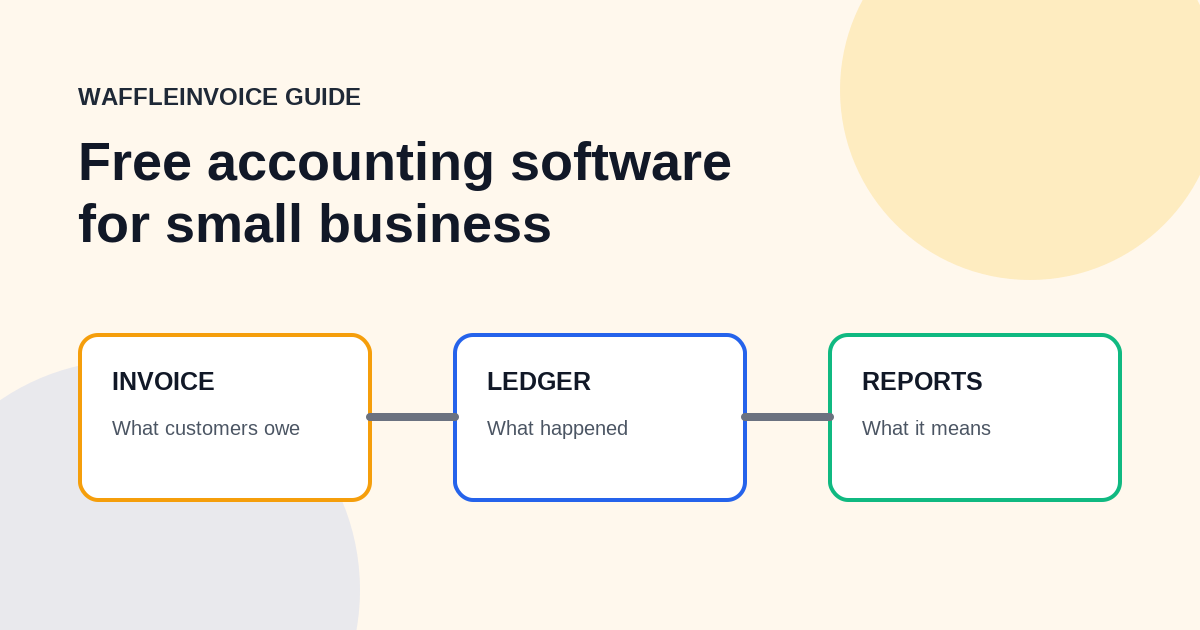
Invoicing is one input to that system. An invoice records what a customer owes; bookkeeping records what happened across the whole business. Payroll, bills from vendors, bank fees, loan payments, owner draws, and expenses do not appear merely because you sent a customer invoice.
| Job | Record produced | Question it answers |
|---|---|---|
| Invoicing | Customer invoice and payment status | What does this customer owe? |
| Bookkeeping | Journals, ledgers, and reconciliations | What happened to the business's money? |
| Reporting | Profit and loss, balance sheet, cash reports | How is the business performing? |
Is free invoicing software the same as free accounting software?
Free invoicing software and free accounting software overlap, but they solve different core jobs. An invoice tool can store clients, calculate line items, produce a PDF, send the bill, and mark it paid. Accounting software must organize a wider set of transactions into books.
That distinction matters when evaluating WaffleInvoice. WaffleInvoice describes its Free plan as: “Free plan: unlimited invoices, estimates, and clients, with 25 email sends per rolling 30 days, client portal, and basic dashboard included.” Those are billing features. They do not include a general ledger, bank reconciliation, tax-return preparation, or a bookkeeper.
If billing is the immediate problem, the small-business invoice software guide compares the operational features worth checking. If you need formal books, choose a bookkeeping system as well and define the handoff between them.
Which records must the software help you keep?
The software must help preserve the records your business actually relies on, including supporting documents. IRS Publication 583 says, “Supporting documents include sales slips, paid bills, invoices, receipts, deposit slips, and canceled checks.” The IRS is authoritative here because it administers federal tax recordkeeping, though its publication is general information rather than advice for a particular return.
The same IRS publication says a business may choose any recordkeeping system suited to it that clearly shows income and expenses. That supports a practical test: you do not need the biggest feature list, but you do need complete, retrievable records. A bank feed without the invoice or receipt can leave the business unable to explain the transaction.
- Keep the issued invoice and any corrected version.
- Keep evidence of payment and the date it cleared.
- Keep vendor bills and receipts behind expense entries.
- Document refunds, credits, fees, and owner transactions.
- Export records in a format you can retain independently.
How can a small business test a free plan before committing?
A small business can test a free plan with fictional activity before importing real records. Use a made-up customer and vendor, then follow every item from document to report.
- Create a service invoice with clearly described line items.
- Record a fictional full payment and confirm the open balance closes.
- Enter a fictional vendor expense with an attached receipt.
- Check whether the reports classify the income and expense as expected.
- Export the invoice, transaction list, and report; reopen each file.
This trial checks whether documents, transactions, and reports stay connected for review. Ask your bookkeeper to check the classification and accounting method before importing real records.
What free-plan limits deserve the closest reading?
The limits that deserve the closest reading are users, bank connections, reports, exports, support, and monthly actions. “Unlimited invoices” can coexist with a cap on email delivery, while “free accounting” can omit collaboration or advanced reports.
Write the limit beside the workflow it affects. For example, 25 invoice email sends in a rolling 30-day window means the constraint is sending through the app, not creating the 26th invoice record. A business that downloads PDFs and sends them another way faces a different workflow from one that expects every invoice email to be logged automatically.
Check the current service-business invoice features for what WaffleInvoice handles. Product pages can establish the current feature boundary; they cannot show whether your accountant accepts the resulting handoff.
When should invoicing and accounting stay separate?
Invoicing and accounting should stay separate when a focused billing workflow is easier for staff and a named bookkeeping system remains the financial source of truth. Separation works only when someone owns the transfer and reconciliation.
A simple handoff can be a monthly export containing invoice number, issue date, customer, subtotal, tax, total, payment date, refunds, and processing fees. The bookkeeper then matches it to deposits and expenses. The small-business invoice template shows the customer-facing fields; the accounting record still needs the surrounding payment and expense data.
What is the safest plain-English choice?
The safest choice is the smallest free system that preserves complete records and has a clear upgrade or exit path. Choose invoicing software for customer billing, accounting software for books, or both with a documented handoff.
Before entering live data, ask who reconciles the bank, where vendor expenses live, how corrections are recorded, and what gets exported. If any answer is “nowhere,” the free price is hiding a recordkeeping gap.
Frequently Asked Questions
Quick answers to the questions readers ask most about this topic.
Can free invoice software replace accounting software?
What should free accounting software include?
Is WaffleInvoice accounting software?
What should I export from a free accounting app?
Ready to improve your invoicing?
WaffleInvoice makes it easy to invoice faster, get paid on time, and manage your cash flow. Start free today.
Sign Up Free