
Blog Post
AP Automation Software: Follow an Invoice Workflow
AP automation software captures a vendor bill, checks its data and approvals, schedules payment, and preserves the record. It does not correct a vague or inaccurate invoice by itself.
Logan Moore
AP automation software captures a vendor bill, checks its data and approvals, schedules payment, and preserves the record. It does not correct a vague or inaccurate invoice by itself.
AP automation software can capture a vendor bill, validate its fields, route it for approval, schedule payment, and store the resulting record. Use the checkpoints below to test how an AP system handles duplicate bills, mismatches, changed approvers, and the final payment record. WaffleInvoice handles seller-side invoicing; it does not provide these buyer-side AP controls. Automation speeds a configured route; it does not make bad source data correct.
This guide follows the buyer's accounts-payable side. Vendors who want to understand what happens after sending can also read what AP automation does to an invoice.
What does AP automation software do with an invoice?
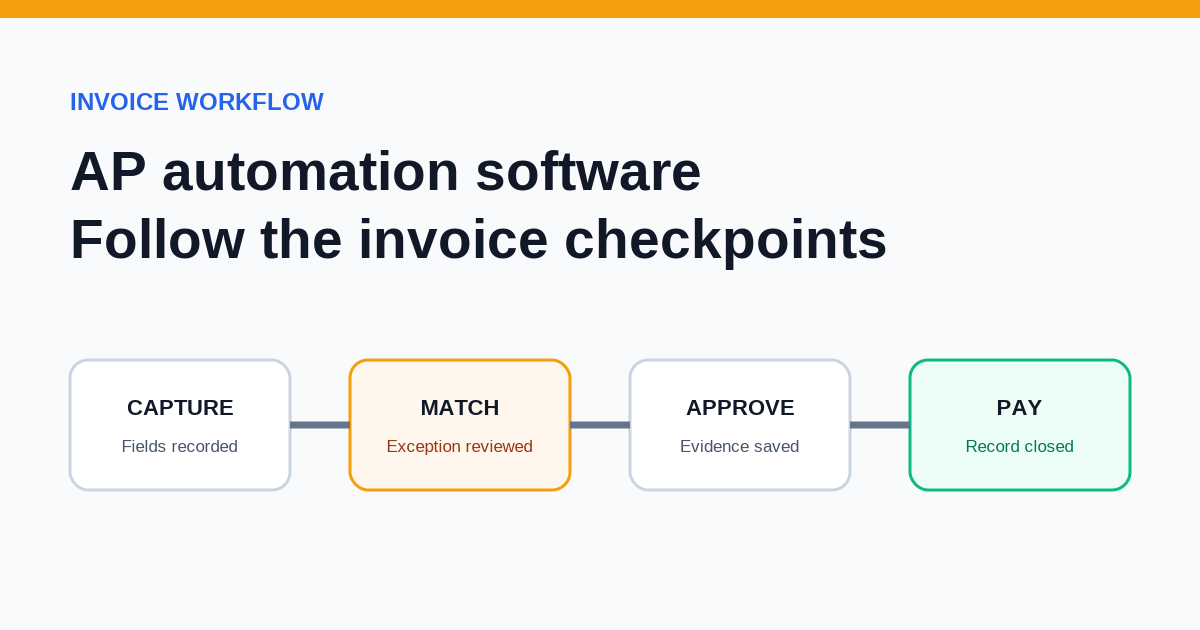
AP automation software turns an incoming invoice into a controlled payment record. A typical route is capture, duplicate check, purchase-order or receipt match, approval, payment scheduling, and reconciliation.
The exact route varies. A two-person studio may use one approver and no purchase orders. A larger buyer may require a purchase order, receiving record, department code, and two approvals. Software can enforce the configured rule, but it cannot decide which rule the business should adopt.
| Checkpoint | System check | Result |
|---|---|---|
| 1. Capture | Vendor, invoice number, date, due date, total | Bill record created |
| 2. Duplicate check | Vendor, invoice number, and amount | Existing records compared |
| 3. PO match | Purchase order versus invoice fields | Difference routed for review |
| 4. Review | Supporting approval documented | Exception resolved or rejected |
| 5. Approval | Budget owner confirms coding and receipt | Ready to pay |
| 6. Payment record | Payment reference and date returned | Closed after reconciliation |
Which invoice fields make automatic matching possible?
Automatic matching depends on stable identifiers and explicit line items. The vendor name, unique invoice number, purchase-order number, issue date, due date, quantity, rate, tax, and total each give the buyer a field to test.
- Vendor's legal or recognized billing name
- Unique invoice number
- Purchase-order or contract reference, when required
- Service description, quantity, and rate
- Approved additions or credits
- Subtotal, tax, and total due
A PDF with a vague service label and one unexplained total may still be payable, but it asks the reviewer to reconstruct the match. The invoice automation software page describes recurring billing and reminders on the seller's side; those features do not establish a buyer's PO-matching rules.
What should happen when AP automation finds a mismatch?
AP automation should hold the invoice, identify the mismatched field, and route it to the person who can resolve it. The reviewer should compare the invoice with the purchase order, receipt, contract, or other controlling record.
The reviewer can update the purchase order, attach the approval, or reject the charge under the buyer's policy. Deleting the difference to force a match would damage the audit trail. Paying first and explaining later would move the exception downstream to reconciliation.
How does approval timing affect the payment date?
Approval timing affects when a valid invoice becomes ready for payment, but the governing term comes from the contract and applicable rules. For a federal-contract example, FAR 52.232-25 on Acquisition.gov compares two dates: 30 days after receipt of a proper invoice and 30 days after Government acceptance. The later date generally controls, subject to the clause’s exceptions.
For invoice payments under contracts containing FAR 52.232-25, and subject to the clause's exceptions, the due date is generally the later of 30 days after the designated billing office receives a proper invoice or 30 days after Government acceptance. The exceptions include certain products and fast-payment procedures, so this is not a universal commercial payment deadline. The clause demonstrates why receipt date, acceptance date, and “proper invoice” status need explicit records. Private buyers must follow their own agreement and applicable law.
Resolving an exception does not by itself establish the due date; the contract, proper-invoice status, acceptance date, and applicable clause still control.
Where does seller-side invoice automation stop?
Seller-side invoice automation stops at the buyer's controls. A vendor can produce consistent numbers, send to the right address, retain delivery evidence, and answer exceptions quickly. It cannot approve its own bill inside the customer's AP system.
WaffleInvoice lists “Automatic reminders & late fees” as a seller-side feature. A reminder helps the vendor follow up on an overdue invoice; it does not approve that bill, match a purchase order, or maintain the buyer’s accounts-payable ledger.
Review the service-business invoice features as seller-side capabilities. Treat AP capture, approval, and payment as a separate buyer-side workflow unless a verified integration connects them.
How should a business test AP automation software?
A business should test AP automation with clean, duplicate, mismatched, and corrected versions of the same fictional invoice. Measuring only the clean case hides the work that exceptions create.
- Submit a fictional invoice and confirm every captured field.
- Submit it again and check whether the duplicate is blocked.
- Change one field from the purchase order and inspect the exception.
- Attach a fictional approval for the added charge.
- Change the approver and verify the history remains readable.
- Export the invoice, approval, payment reference, and timestamps.
Record how many touches each path requires and which person owns the exception. A strong result is a reviewable record, not merely a faster green checkmark.
What should you record after the test?
Keep the test invoice, the exception history, the approval record, and the exported payment reference together. Note which checks the system performed and which required a person. Repeat the same cases when approval rules or integrations change.
Measure touches and elapsed time on your own invoices before making a savings claim. A feature list or a clean test invoice cannot establish how quickly a business will pay real bills.
Frequently Asked Questions
Quick answers to the questions readers ask most about this topic.
What is AP automation software?
Does AP automation fix an incorrect invoice?
What is three-way matching?
Can WaffleInvoice automate accounts payable?
Ready to improve your invoicing?
WaffleInvoice makes it easy to invoice faster, get paid on time, and manage your cash flow. Start free today.
Sign Up Free